
Description
Your Store. Your Customers.
Your Payment Terms.
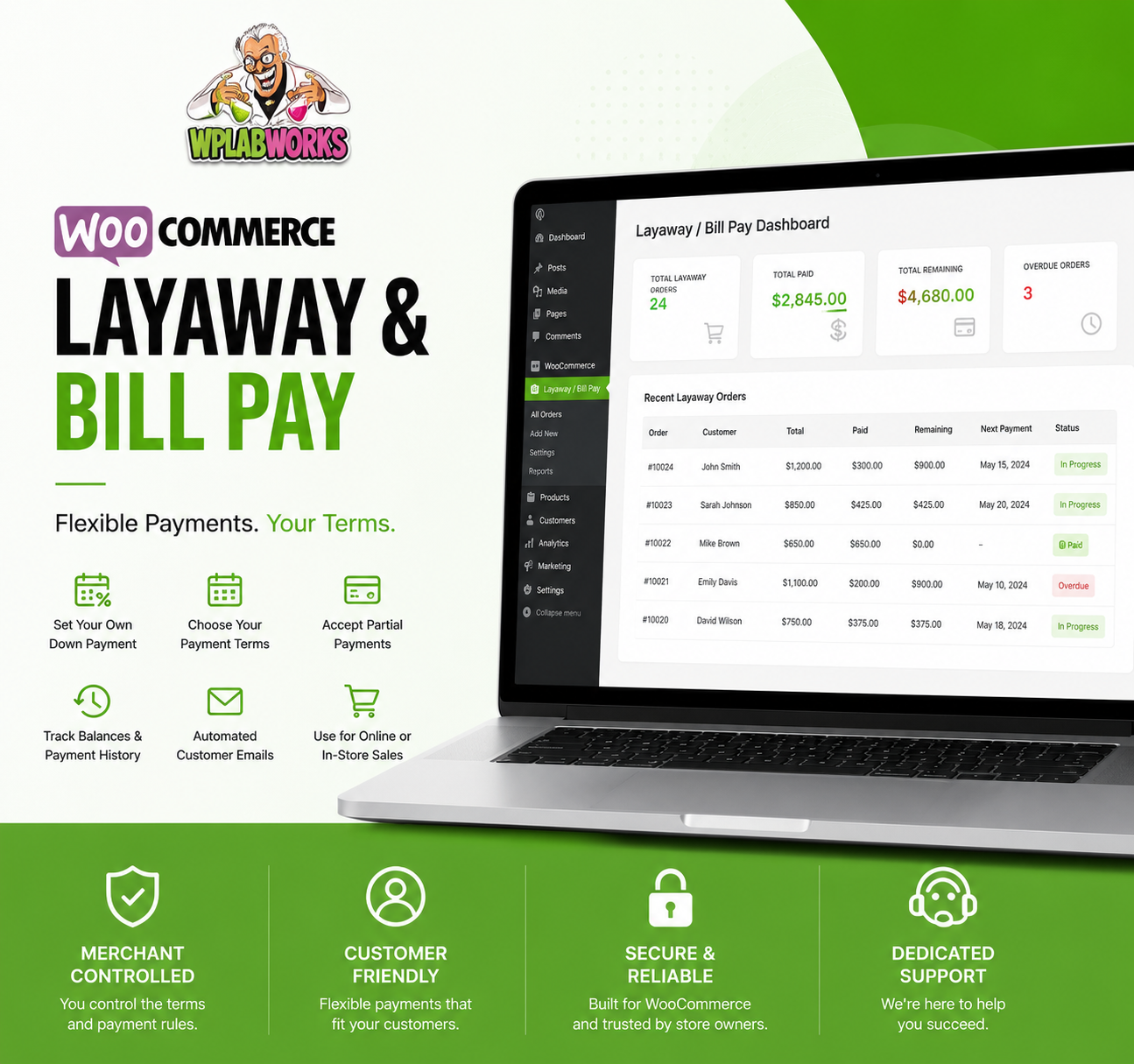
The WPLabWorks WooCommerce Layaway & Bill Pay Plugin gives
merchants a flexible way to accept layaway payments, partial
payments and customer invoices directly through their WooCommerce
website.
Instead of forcing every customer into the same preset installment
schedule, you decide how your program works. Choose the amount
required at checkout, set the payment deadline, and allow customers
to return to your website to pay their remaining balance.
Use It the Way Your Business Sells.
01
Automatic Checkout Layaway
Add a layaway payment option directly to WooCommerce checkout.
You choose the percentage customers must pay up front and the
plugin creates the remaining layaway balance automatically.
02
In-Store Layaway
Sell an item in your brick-and-mortar store, take the initial
payment, and manually create the remaining balance in WordPress.
Your customer can then continue making payments through your
website.
03
Invoice & Bill Pay
Create a customer invoice or bill-pay request from the WordPress
backend and send the customer a way to pay the balance through
your WooCommerce website.
A WooCommerce Payment Plan You Control.
Configure your layaway program around your business instead of
changing your business to fit a rigid payment schedule.
Custom Down Payment
Choose the percentage a customer must pay when beginning
an automatic WooCommerce layaway.
Custom Expiration
Set how long customers have to complete payment based on
the terms of your own layaway program.
Flexible Partial Payments
Customers can return to their account and make additional
payments toward their balance until it is paid in full.
Automated Customer Emails
Give customers the information they need to return to your
store and access their layaway or invoice.
Payment Tracking
Track payments already made, the remaining amount due and
the expiration date of the customer’s layaway.
Manual Creation
Create layaways, invoices and bill-pay requests yourself
from the WordPress administration area.
How Does the WooCommerce Layaway Plugin Work?
STEP 01
Customer Selects Layaway
Your customer shops your WooCommerce store normally and
selects the layaway option during checkout.
STEP 02
Initial Payment Is Collected
WooCommerce calculates the amount required based on the
down-payment percentage you configured.
STEP 03
Layaway Invoice Is Created
After the order is processed, the remaining balance is
entered into the layaway system and the customer receives
their payment information.
STEP 04
Customer Makes Payments
The customer returns to your WooCommerce website and makes
additional payments toward the remaining balance.
STEP 05
You Track the Balance
Payment history, amount remaining and expiration information
allow you to follow the layaway until it has been completed.
STEP 06
Paid in Full
Once the customer’s balance reaches zero, the layaway has
been paid in full and you can complete the transaction
according to your store’s policies.
$1,000 Purchase.
30% Down.
Suppose a customer purchases a $1,000 product and you’ve
configured your WooCommerce layaway program to require
30% at checkout.
The customer pays $300 at checkout.
The remaining $700 balance becomes their
layaway balance, which they can continue paying through
your website according to the terms you’ve established.
$1,000
$300
$700
Use It as a WooCommerce Bill Pay & Invoice Plugin.
Not every payment needs to begin with a WooCommerce product
checkout.
You can manually create a customer balance from the WordPress
backend, making the plugin useful for service invoices,
in-store purchases and other amounts a customer needs to pay.
The customer can then access the payment through your
WooCommerce website and make either a full payment or
additional payments toward the balance.
Your Layaway Program Doesn’t Need a One-Size-Fits-All Schedule.
Choose your down payment.
Configure the amount customers need to pay when starting
an automatic layaway.
Choose your deadline.
Decide how long customers have to pay the remaining balance.
Accept flexible payments.
Customers can return and make additional payments toward
the amount remaining.
Use it beyond checkout.
Manually create layaways, bill-pay requests and customer
invoices when needed.
WooCommerce Layaway Plugin FAQ
Can I choose the percentage required at checkout?
Yes. You choose the percentage customers need to pay when
starting an automatic layaway during WooCommerce checkout.
Can I use the plugin for my physical store?
Yes. You can manually create the remaining balance for an
in-store sale and allow the customer to continue making
payments through your website.
Can I use it only for customer invoices?
Yes. A balance can be manually created for a customer without
requiring the transaction to originate from normal WooCommerce
checkout.
Does the plugin track payments?
Yes. The layaway system tracks payments made, the amount
remaining and expiration information for the customer’s balance.
Can customers make partial payments?
Yes. Customers can return to their WooCommerce account and make
additional payments toward the remaining balance until it is
paid in full.
Can I set my own layaway expiration date?
Yes. The merchant controls how long the customer has to
complete payment based on the terms of the store’s layaway
program.
Give Customers More Flexibility.
Keep Control of the Terms.
Choose your subscription above and add flexible WooCommerce
layaway, bill pay and customer invoice payments to your store.
Reviews
There are no reviews yet.